GeekTickets is happy to provide our scanning app free of charge to facilitate the validation of tickets at your event. The steps for organisers are detailed below:
Step 1: Create Scanning Users
- Each user that will be using the scanning app to scan tickets will need to have an account on the GeekTickets platform. To create additional accounts for your organisation, click on the System Menu and choose Manage Users
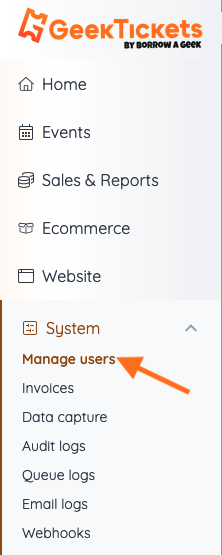
- From the Users Screen, click on the +Add User button in the top right

- Add the user's details
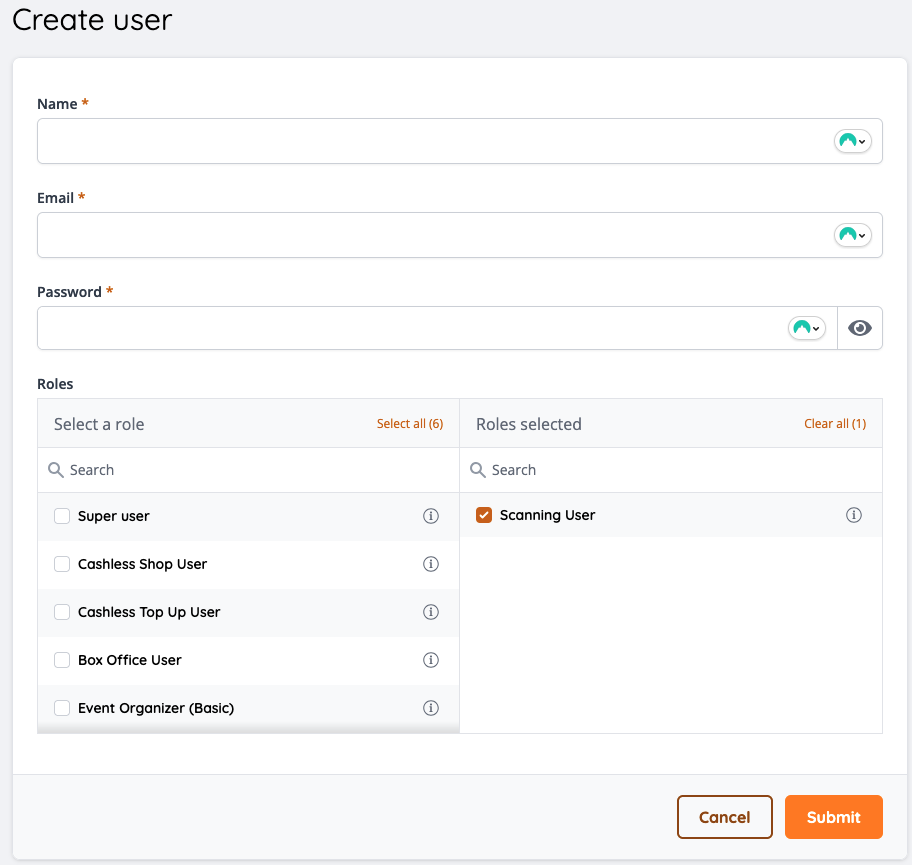
The Name, Email, and Password fields are required. You should choose Scanning User as the role for this user and then click on Submit.
Step 2: Download the App
Select the appropriate app store to download our access control app


If you have any questions, please reach out to our staff at 065 671 5029 or submit a support ticket.

